

The meeting calendar
- Attendees and free/busy
- Rooms, meeting links and invitations
- The time that works for this particular meeting
More than a shared calendar
See what must happen, who owns it and whether it gets done. Bring recurring work and important shared dates — such as the annual conference, an index adjustment or the day a new regulation takes effect — together without filling everyone's personal calendar.
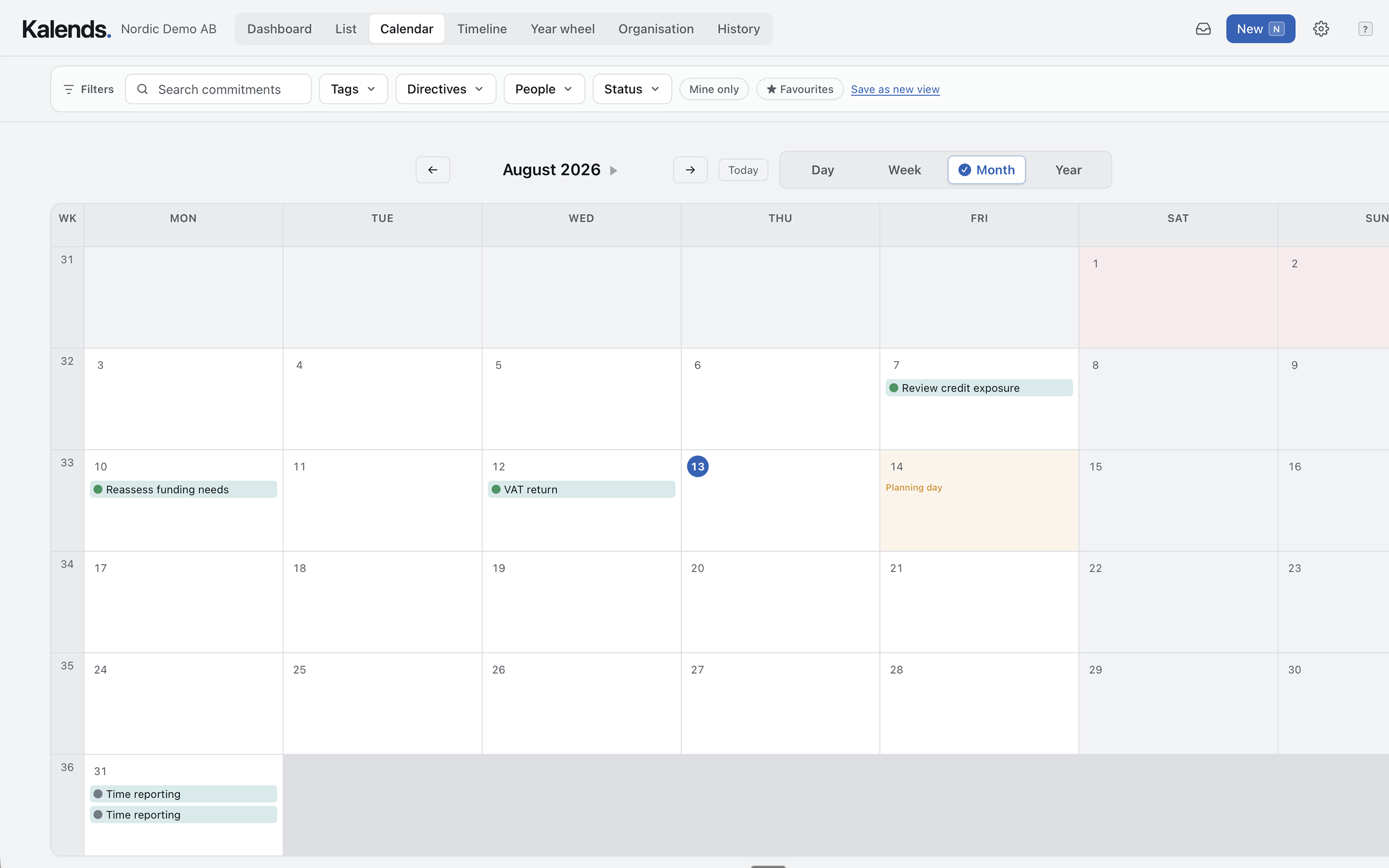
Two calendars, two jobs
Times, attendees and rooms change. What must be done — and why — should not disappear into scheduling logistics. In Kalends, owners and stand-ins can change without losing purpose, status or history. The meeting calendar is the hard landscape: what must happen on a given day or at a given time. Watch dates, recurring checks and reminders are soft dates that belong in Kalends, so the calendar stays readable.
An operational team calendar
The same shared calendar holds both important one-off dates and recurring commitments.
Show conferences, index adjustments, new regulations and recurring meetings, reports and controls by day, week, month or year. Filter and save the view each team needs.
Connect an owner and stand-in. Remind before the due date and escalate when important work risks stopping with one person.
Record what was done and retain comments, confirmations and evidence. The history remains for the next occurrence and the next owner.
From commitment to protected time
When a commitment needs a booking, add the occurrence or series to the calendar you use. Solve attendees, rooms and availability there. Kalends retains what must be done, why it matters and who owns it.
Purpose, owner, stand-in, date, status and history belong to the commitment — not to one person's meeting booking.
Choose Outlook, Google Calendar, Apple Calendar or another calendar. Add one occurrence or the currently available series, then solve attendees and rooms there.
Kalends shows a calendar indicator on the commitment. You can also mark that a booking already existed and see in history when the connection was recorded.
Kalends does not store an awkward booking link. The marker shows that a corresponding booking exists, while the calendar continues to own attendees, rooms and availability.
The same dates and work, the right perspective
Change view without copying dates or work into another system. Open the item whenever you need to understand context, ownership or outcomes.
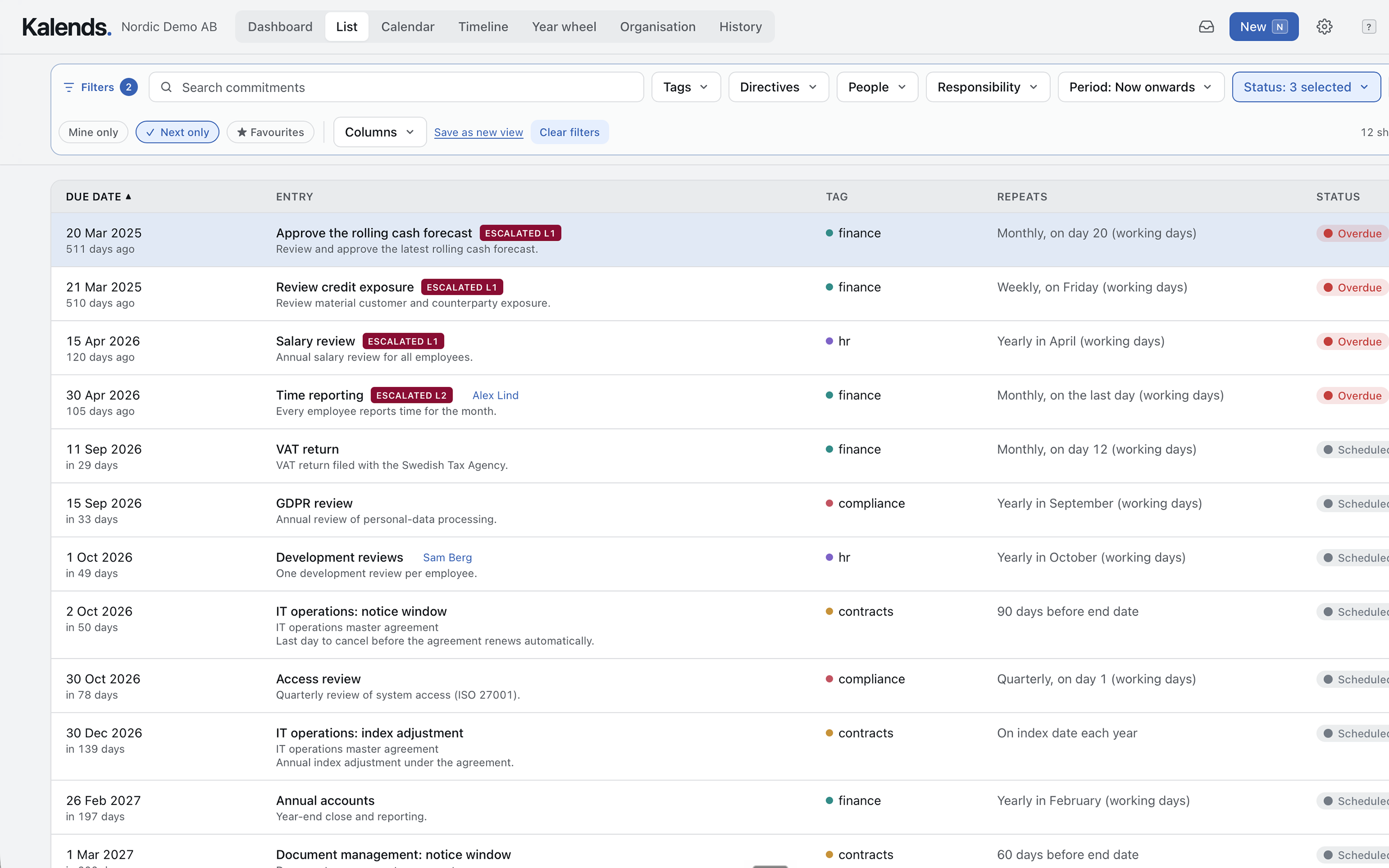
See what is upcoming, overdue or complete and filter to the right person, team or area of responsibility.
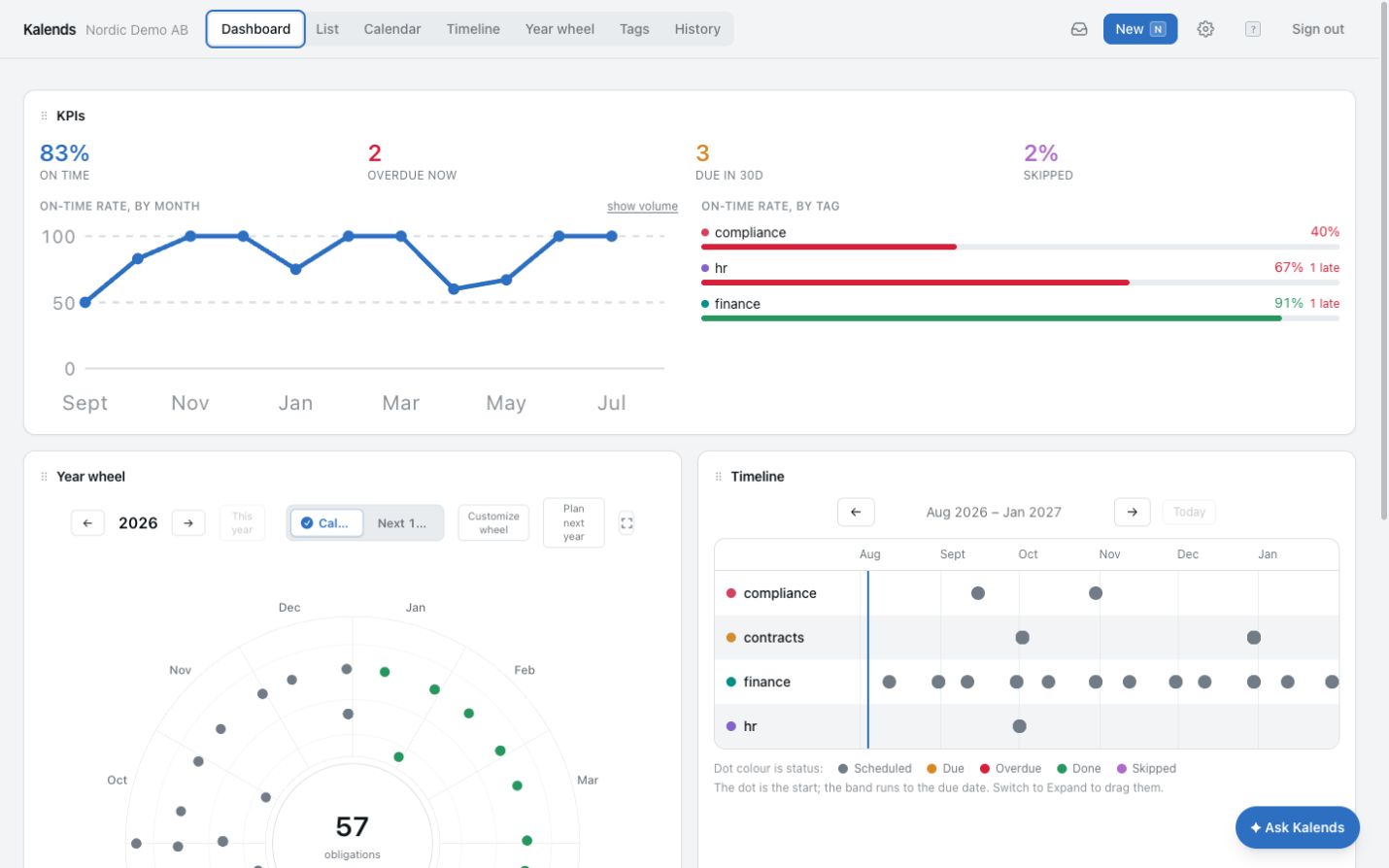
Combine a calendar, timeline and metrics, then open the work behind every figure whenever something needs attention.
From internal view to shared information surface
Publish a read-only view and use it on your intranet, in PowerPoint or on an information screen. The selection remains fixed and the view automatically fetches current data from Kalends on the schedule you choose.
Embed the calendar with an iframe so important shared dates remain visible without everyone signing in or adding them to a personal calendar.
Download an editable presentation slide with a snapshot and a clickable link back to the current live view.
Open the clean live view in reception or around the office. It refreshes automatically on the selected schedule — every 15 minutes by default, or less often if you prefer.
Published views are read-only and revocable. Restricted and confidential items are never included.
Common questions
No. They are best for meeting invitations, attendees, rooms and free/busy. Kalends instead holds together what must be done, why and who owns it. Meeting logistics and people can then change without losing the commitment or its history.
Yes. Add a conference, an index adjustment date or the day a regulation takes effect. The item becomes visible in the team's shared view without having to sit in everyone's personal calendar.
Yes. Add one occurrence or the currently available series to Outlook, Google Calendar, Apple Calendar or another calendar system. Kalends then shows a graphical marker that a corresponding booking exists, and history records when it was created or marked as already present.
Yes. Create a personal, read-only calendar subscription for Outlook, Apple Calendar or Google Calendar and choose which parts of Kalends should appear.
Yes. Publish a read-only calendar or timeline view and embed it on your intranet or open it on an information screen. The view automatically fetches current data on a configurable schedule, every 15 minutes by default. You can also export an editable PowerPoint slide with a link back to the live view.
Start with one team
Start with what the whole team needs to know and the recurring work that must never depend on one person. See it all together without filling everyone's personal calendar.