A beautiful year wheel without the drawing

Create the year wheel you want — without PowerPoint or Excel

Filter, shape, present and share a professional year wheel. Kalends then keeps it alive from the information behind every point, so you never have to redraw it when the plan changes.

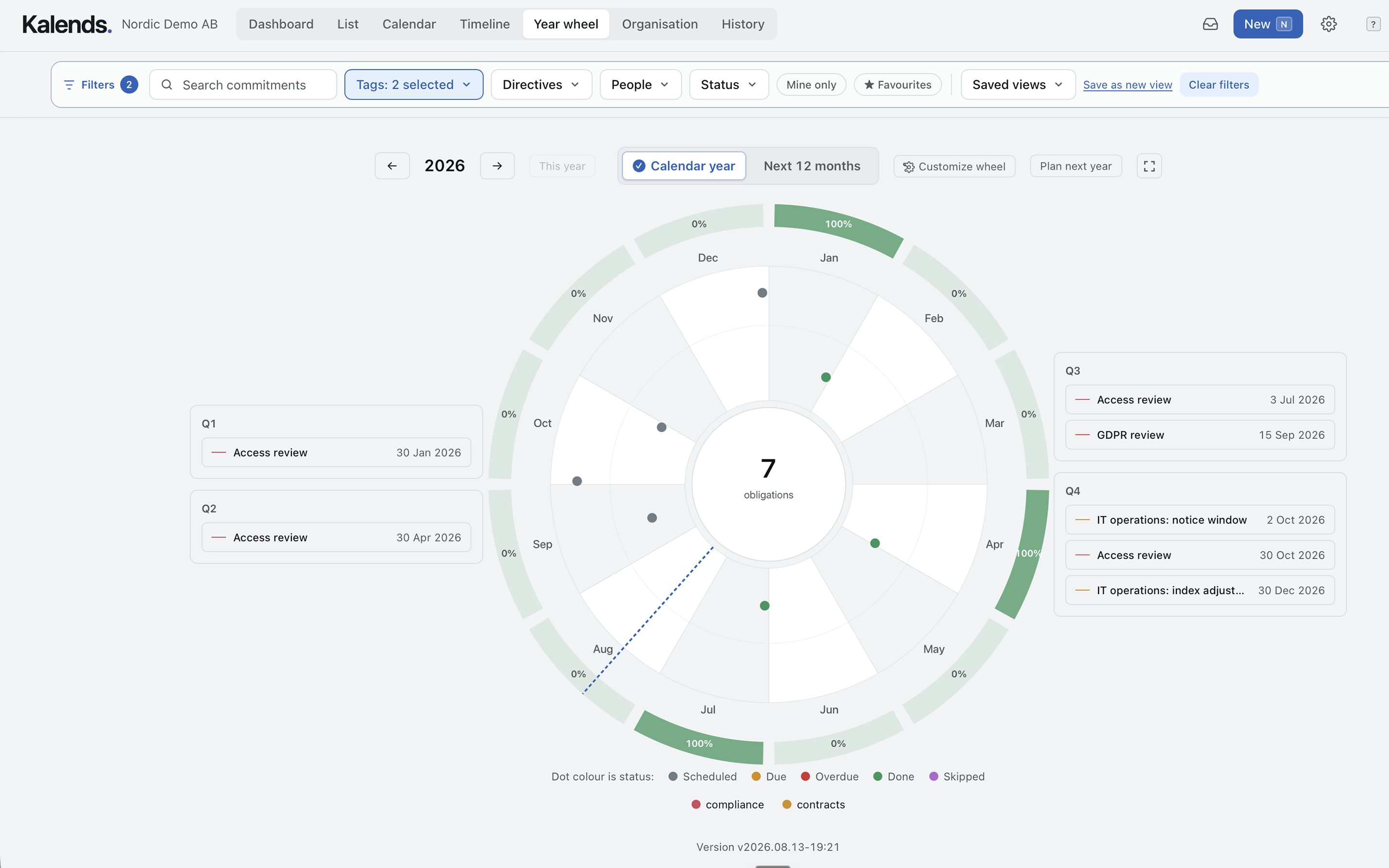
Advanced Kalends year wheel with recurring commitments, periods, status colours, outcome rings and information cards
A real Kalends year wheel from the English product version.
  • Live data
  • Flexible filters
  • Presentation-ready
  • Open the work behind it

Make it yours

Build exactly the year wheel you need

Start with a clean annual picture. Then add the structure, information and design that make the wheel useful in your organisation.

01

Shape the year

  • Calendar year, the next 12 months or a non-calendar fiscal year
  • Show periods and build advanced rings for areas, status and outcomes
  • Automatic or custom colours for rings, commitments and events
  • Light and dark themes that follow the operating system
02

Show the right things

  • Filter by department, tag, directive, person, status or favourite
  • Show labels, durations and information cards in and around the wheel
  • Search and highlight every occurrence in the same recurring series
  • Compare with last year and fade the part of the year that has passed
03

Present and share

  • Full-screen mode and month-by-month presentations
  • Save designs and filters as reusable views
  • Save year wheels as widgets and show several together on a dashboard
  • Export as an image or PowerPoint
  • Share a URL or embed a live-updating view on another page

Three wheels, three perspectives

The same data can tell very different stories

Change the year type, rings, colours, periods, information cards and theme. Then save each configuration as its own view or dashboard widget.

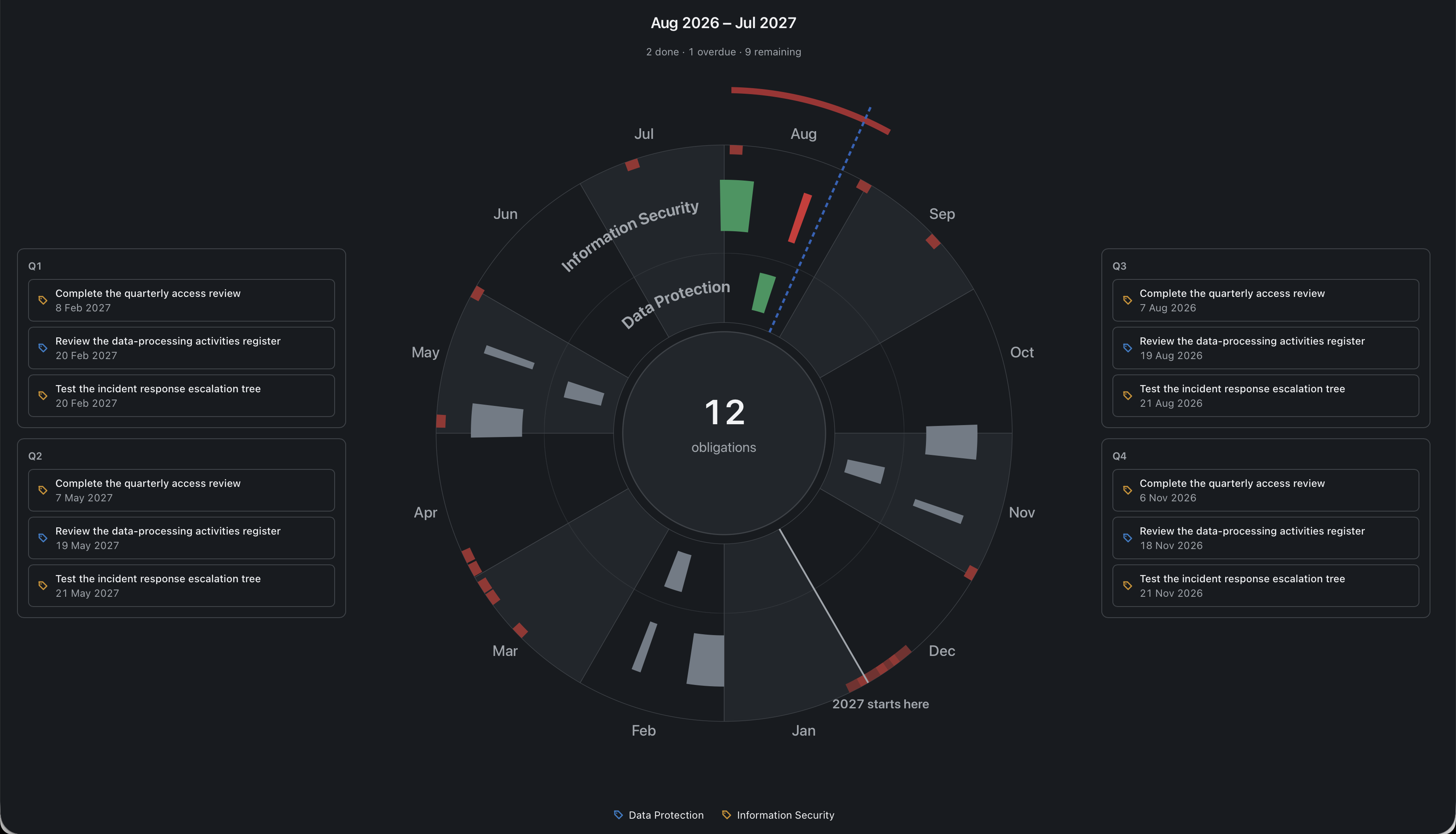
Dark Kalends year wheel with a rolling twelve-month period, named rings, periods and information cards

A dark presentation wheel with periods

A rolling year with named rings, periods spanning several months and information cards grouped by quarter.

Kalends year wheel with recurring commitments, status colours, public holidays, filters and information cards

A clean annual view for planning and follow-up

See recurring commitments, current status, public holidays and closures across the year. Filter to the right area and open any point for more information.

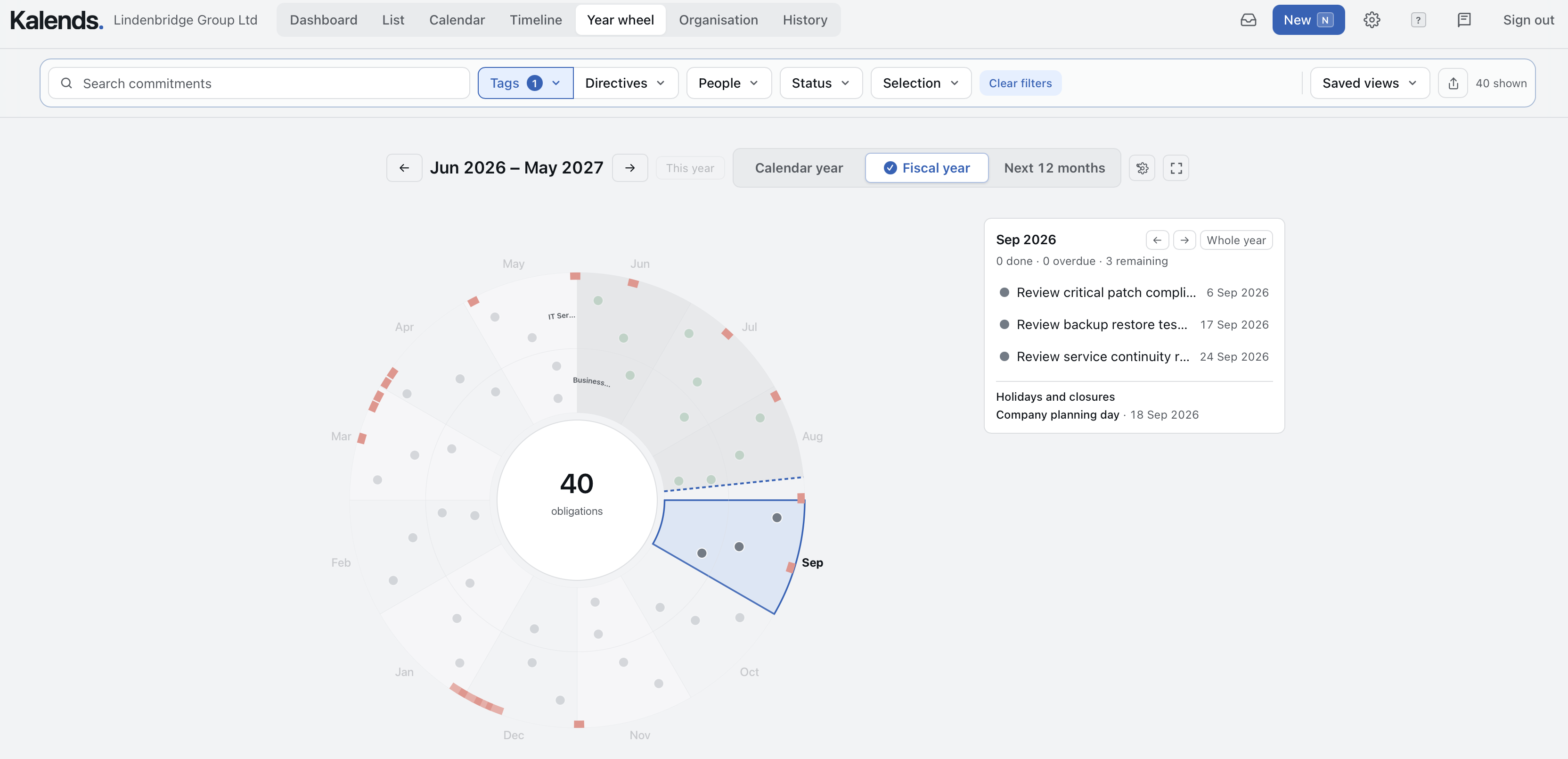
Kalends year wheel for a non-calendar fiscal year with a selected month and detailed information card

A non-calendar fiscal year with month detail

Switch between calendar year, the next twelve months and a non-calendar fiscal year, then open a month without leaving the wheel.

Not another year-wheel template

Stop redrawing the plan. Start working from it.

PowerPoint and Excel can draw a year wheel. Kalends keeps it alive by building the picture from the information behind every point.

A static year wheel

  • Must be redrawn whenever the plan changes
  • Shows what you intended to do — not what actually happened
  • Loses the connection to owners and evidence

The year wheel in Kalends

  • Is generated automatically from recurring commitments
  • Shows current status, delays and changes
  • Opens the ownership, history and evidence behind every point
From scattered commitments to one shared master in Kalends Recurring responsibilities begin scattered across people and tools. Kalends brings each commitment, owner, rhythm, and status into one shared place, creating an organization-wide view, a shared year wheel, and continuity when people change roles. SCATTERED COMMITMENTS · NO ONE SEES THE WHOLE ANNA · CALENDAR Monthly close ERIK · LIST Access reviews MARIA · OWN ROUTINE Annual review CONTRACT Notice deadline WIKI Annual policy review anchored in Kalends THE ORGANIZATION'S MASTER Finalize the monthly close Anna S · Monthly Done Review access rights Erik N · Quarterly To do Conduct the annual review Maria L · Annually Planned WHEN EVERYTHING IS IN ONE PLACE See the whole Across all recurring commitments Plan across the year In one shared year wheel Preserve continuity When people change roles People and tools may change. Commitments remain.

What sits behind the year wheel

You came for a year wheel. You get a system for everything the organisation must keep doing.

Every point in the wheel can be a real commitment with a purpose, cadence, owner, stand-in, reminders, status and evidence. Bring those pieces together and the organisation gets more than a planning tool: it gets one shared view of its recurring work.

From point to ownership

Open an event to see who owns it, why it exists and what must be confirmed.

From annual picture to execution

The same information appears in a list, calendar and timeline when it is time to do the work.

From plan to learning

History remains intact, so you can see what happened and improve next year's cadence.

The same information, more perspectives

The year wheel is only one of the views

Change perspective without copying information into another document. Every screenshot shows the same fictional organisation and the same recurring commitments.

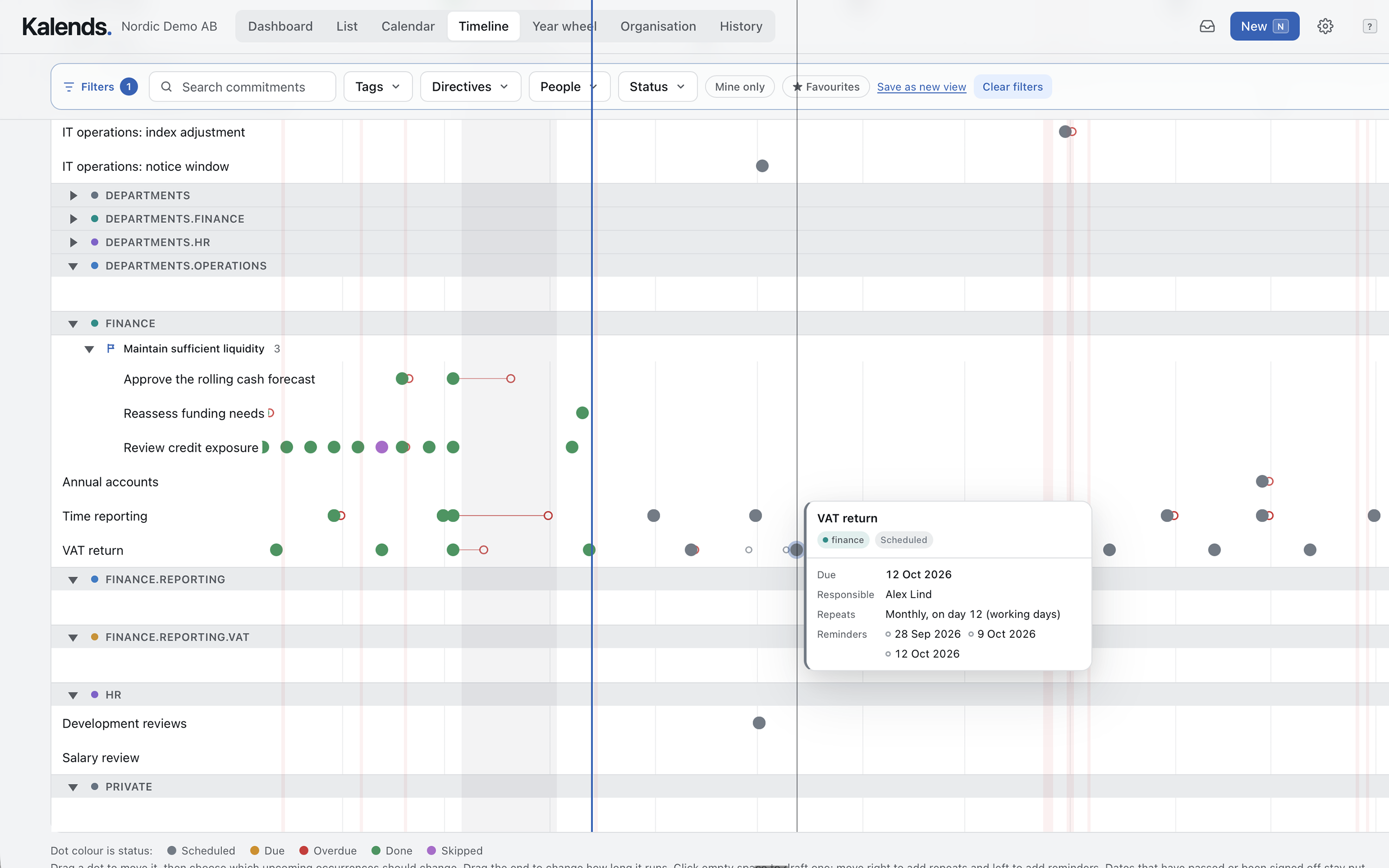
Kalends timeline showing recurring commitments, status and details

See cadence and gaps in the timeline

Plan directly on the time axis and understand how standing goals are kept alive by recurring work.

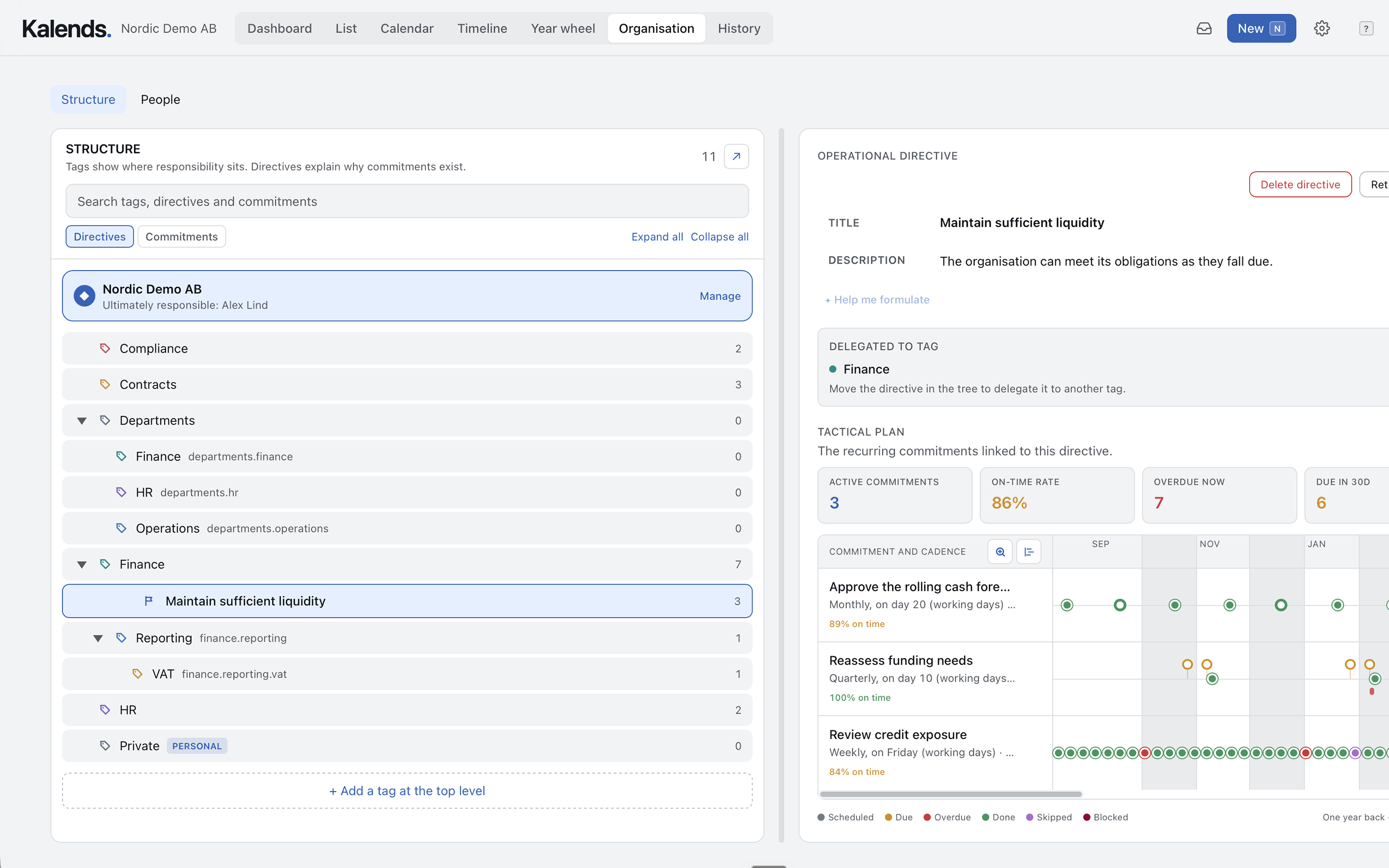
Kalends organisation view with an operational directive and its tactical plan

Connect the work to its purpose

An operational directive shows what the organisation intends to maintain and which recurring commitments make it real.

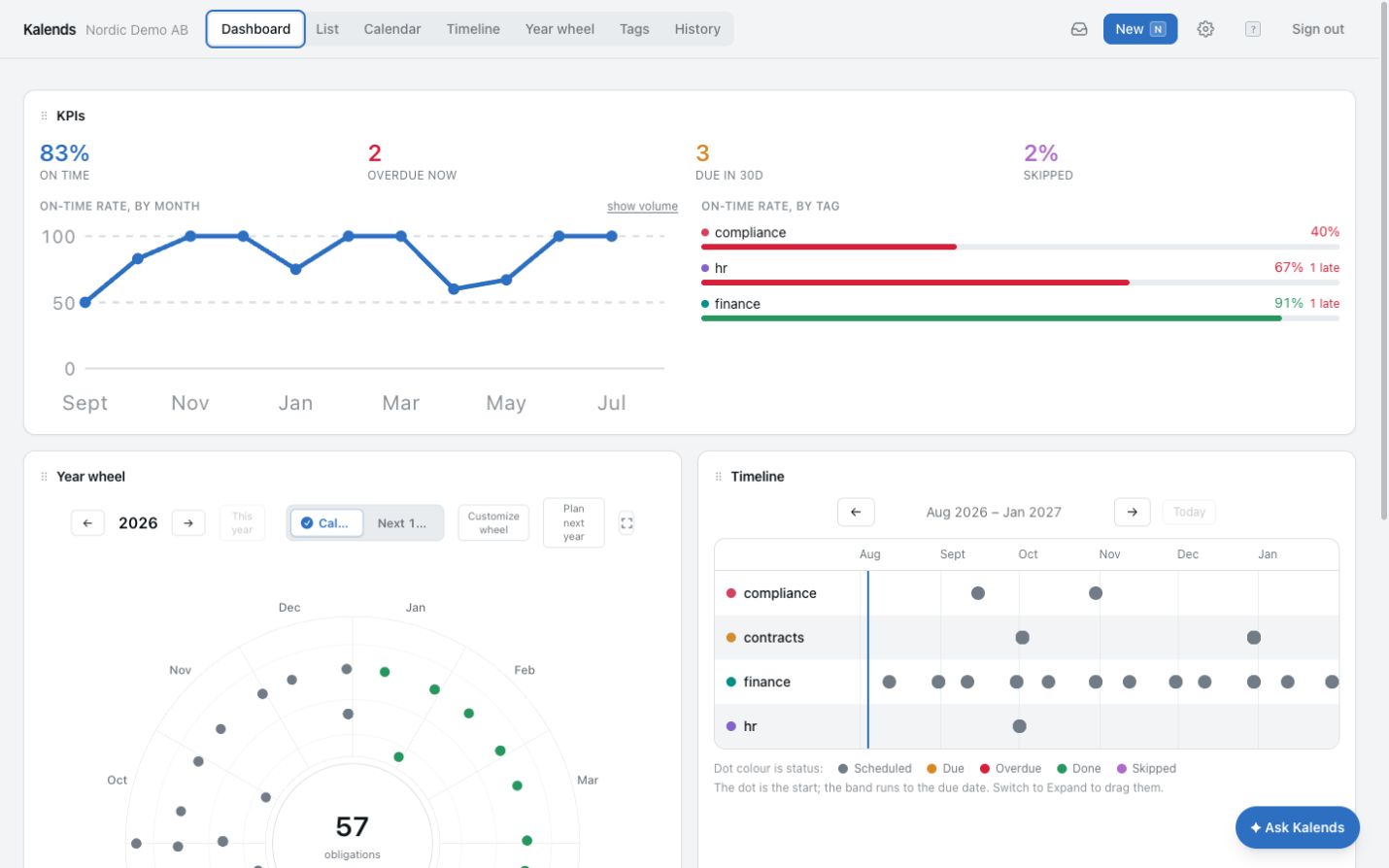
Kalends dashboard with KPIs, a year wheel and a timeline

Follow the whole picture on a dashboard

Combine a year wheel, timeline and KPIs, then open the work behind a figure whenever something needs attention.

Common questions

Common questions about digital year wheels

Can we show only one department or area?

Yes. Filter by department, tag, directive, person or status and save the combination as its own year-wheel view.

Can we customise rings, colours and labels?

Yes. Configure rings, colours, labels, durations and information cards around the story you want the wheel to show.

Does the year wheel update when the plan changes?

Yes. The view uses the commitments' current dates, cadence and status. Move or update the work once and the year wheel follows.

Can we use the year wheel in a presentation?

Yes. Use full-screen and presentation modes, export an image or PowerPoint, or share a URL to a live-updating view.

Do we have to move all our work into Kalends at once?

No. Start with one area and the recurring points you want in the year wheel. Add more of the organisation's work as the value becomes clear.

The year wheel is the beginning

See what the rest of Kalends can do for your organisation

Discover how year wheels, timelines, calendars, ownership and follow-up emerge from one shared register of recurring commitments.

Contact Kalends

Tell us a little about what you need and our support team will receive your message.

We use the details you provide to answer your enquiry. Privacy policy

Private beta

Kalends is in private beta and opens by invitation while we prepare the public launch. If you would like to take part, tell us a little about your organisation and we will come back to you with an invitation.